
Understanding the 8171 SMS Service
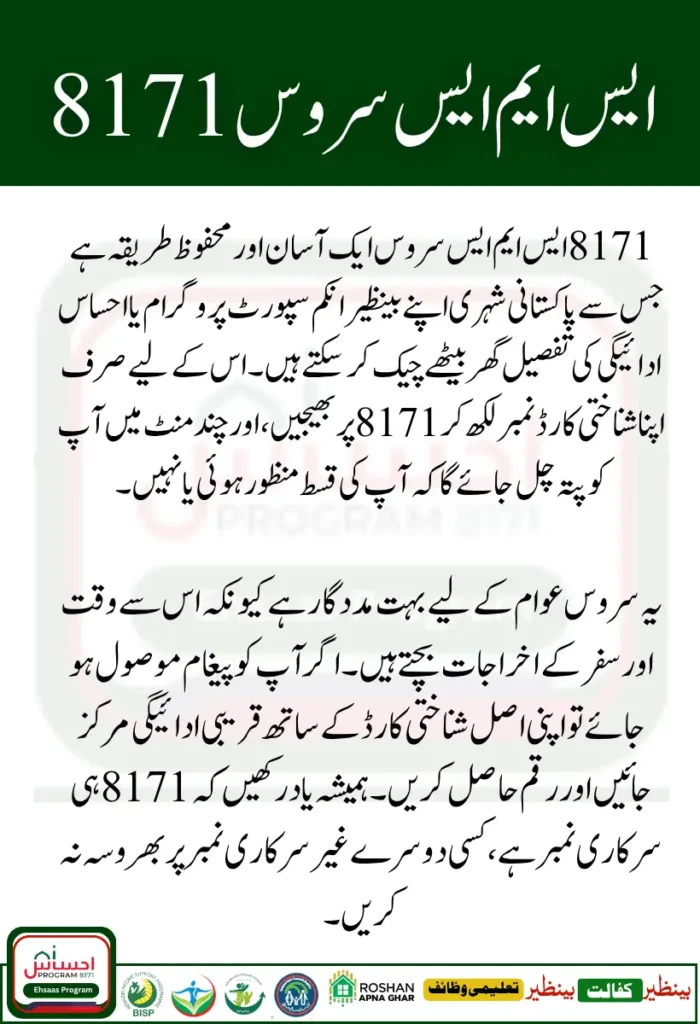
8171 SMS service is one of the easiest and most reliable ways for people in Pakistan to check their BISP (Benazir Income Support Programme) or Ehsaas Program payments. Many beneficiaries live in rural or remote areas where internet access is limited. For them, sending a simple SMS to 8171 can instantly tell whether they are eligible for the new installment or if their payment has been released.
The 8171 SMS service was introduced to make things easier, especially for women and low-income families who find online registration or portal checking difficult. It’s fast, free of unnecessary steps, and available 24 hours a day. You only need your CNIC number, a working mobile phone, and a bit of patience to wait for the confirmation message.
If you’re confused about how this system works, this guide will explain everything clearly from how to send the message correctly to what kind of reply you’ll receive. It’s written in a friendly way so everyone, whether educated or not, can easily understand the process.
Why the 8171 SMS Service Matters
The 8171 SMS service is more than just a number; it’s a lifeline for millions of Pakistanis. Many people are unable to visit the BISP office regularly due to travel costs, long waiting times, or family responsibilities. By using the 8171 SMS method, they can confirm their payment status right from home.
This service is especially useful during times when new installments are announced or when there are delays. Instead of relying on rumors or asking around, you can directly get information from the official system. It saves time, effort, and unnecessary stress.
Another reason why this service is important is that it prevents fraud. Many scammers send fake messages to trick people into sharing their personal details. But when you send a message to 8171, you are contacting the official government system, not a third party. This means your information stays safe and secure.
How to Use 8171 SMS Service to Check Payment
Using the 8171 SMS service is a simple process, and anyone can do it even without internet. Below is a step-by-step explanation that you can follow easily:
Step-by-Step Guide:
- Open your mobile phone’s message app.
- Type your CNIC number without any dashes or spaces.
- Send the message to 8171.
- Wait for a reply message from the same number.
- The reply will inform you whether you are eligible or not, and if your payment is ready for withdrawal.
It’s that simple! There is no need to write extra words or add your name. The system automatically detects your information based on your CNIC.
Common Mistakes to Avoid When Using 8171
Many people make small mistakes that stop them from getting correct results. To help you avoid those issues, here are a few things you should keep in mind:
- Do not send your message from a blocked or inactive SIM card.
- Always make sure your CNIC number is correct and complete.
- Avoid using mobile apps that claim to check BISP payments. Only the 8171 SMS service is official.
- Never share your CNIC or code from the reply message with anyone claiming to be a “BISP agent.”
- If you don’t get a reply, wait for a few hours and try again later. Sometimes the system is busy.
8171 SMS Service Quick Overview
| Information Type | Details |
| Service Name | 8171 SMS Service |
| Purpose | Check BISP / Ehsaas payment status |
| Message Format | CNIC number only (without dashes) |
| Number to Send | 8171 |
| Reply Time | Usually within a few minutes |
| Availability | 24/7 across Pakistan |
| Charges | Standard SMS rate |
This table gives a quick summary of how to use the 8171 SMS service for checking payment and what to expect during the process.
Benefits of Using the 8171 SMS Service
The 8171 SMS service brings many benefits for people who depend on BISP or Ehsaas payments. Here’s why so many Pakistanis prefer this method:
- Ease of Access: No need for internet or smartphones — even basic mobile phones can use it.
- Instant Response: You receive your eligibility or payment details within minutes.
- Secure and Reliable: The 8171 service is operated by the government, ensuring your data remains safe.
- Cost-Effective: You don’t need to travel to the BISP office or use expensive online data packages.
- Time-Saving: You can check your status from home, any time of day.
This system truly helps families stay informed without facing the common challenges of long queues and office visits.
What to Do After You Get the 8171 SMS Reply
After sending your CNIC to 8171, you will receive one of several possible messages:
- Eligible for Payment: This means your record has been approved, and your installment is ready.
- Payment Not Yet Released: Your record is valid, but the payment is still in process.
- Not Eligible: You may not meet the criteria or need to update your data.
- Invalid CNIC: There may be a typing mistake, so try again carefully.
Once you receive a confirmation of eligibility, you can visit your nearest payment center or HBL/Bank Alfalah franchise to collect your amount. Make sure to bring your original CNIC with you for verification.
You Can Also Read : How to Check PM Laptop Application Status by CNIC
Tips to Ensure You Get the Correct Information
To make sure your experience using the 8171 SMS service is smooth and accurate, follow these helpful tips:
- Always send the message yourself don’t depend on someone else.
- Keep your CNIC updated with NADRA, especially after any correction or renewal.
- Store the confirmation SMS in your phone until you collect your payment.
- Avoid sharing personal details or PIN codes with unknown callers.
- Recheck your status monthly if you are part of the regular BISP program.
Understanding BISP and Ehsaas Relationship with 8171
Many people wonder whether the 8171 SMS service is for the Benazir Income Support Programme (BISP) or Ehsaas. In reality, both are connected. The government uses the same 8171 number to help citizens under both programs.
Previously, during the Ehsaas Emergency Cash Program, this number was introduced to check payment eligibility. Later, when the government merged Ehsaas with BISP, the same 8171 SMS service continued to serve millions of families. So whether you are part of Ehsaas Kafalat, BISP Kafalat, or the new dynamic survey, the method remains the same.
You Can Also Read : How to Withdraw BISP Money from ATM and Agent
Documents You May Need When Visiting BISP Office
If your SMS confirms your eligibility, you might need to visit a BISP office or payment center. Here’s a list of documents you should carry:
- Original CNIC (Computerized National Identity Card)
- Copy of CNIC
- Registered SIM card used for the 8171 message
- If collecting on behalf of someone else, bring an authority letter or family registration form
Always double-check that your CNIC matches the name on the BISP record to avoid any delay.
How to Confirm Your Payment After SMS
Once you’ve received confirmation from 8171, the next step is to collect your payment safely. Most people receive payments through partner banks or registered retailers. When you visit the center:
- Keep your CNIC ready for biometric verification.
- Follow the queue system at the center.
- After receiving payment, make sure to collect your receipt.
- Count the money before leaving and report any issue immediately.
This way, you can ensure transparency and avoid misunderstandings.
You Can Also Read : How to Reverify Your CNIC for BISP Quickly
Conclusion
The 8171 SMS service is truly a blessing for those who depend on BISP and Ehsaas support. It connects the government directly with the people ensuring that everyone, even without internet, can stay informed. By learning how to use the 8171 SMS service properly, you save time, avoid scams, and keep your family updated about financial assistance.
Next time a new installment is announced, don’t worry or wait for anyone’s help just take out your phone, type your CNIC, and send it to 8171. Within minutes, you’ll know your payment status straight from the official system.
FAQs
What is the 8171 SMS service used for?
It’s an official method to check your BISP or Ehsaas payment status by sending your CNIC to 8171.
Can I send the message from any SIM card?
Yes, you can use any active SIM card registered in your name.
How long does it take to get a reply from 8171?
Usually, within a few minutes, but during busy hours, it may take longer.
What if I receive no reply from 8171?
Try again after some time or the next day. Sometimes the system is under heavy load.
Disclaimer
⚠️ Disclaimer: This article is for informational purposes only. We are not affiliated with any government agency. For official updates, visit the official BISP website.
Note: This content is based on publicly available information. We are not affiliated with BISP or any government body. Read full disclaimer here.